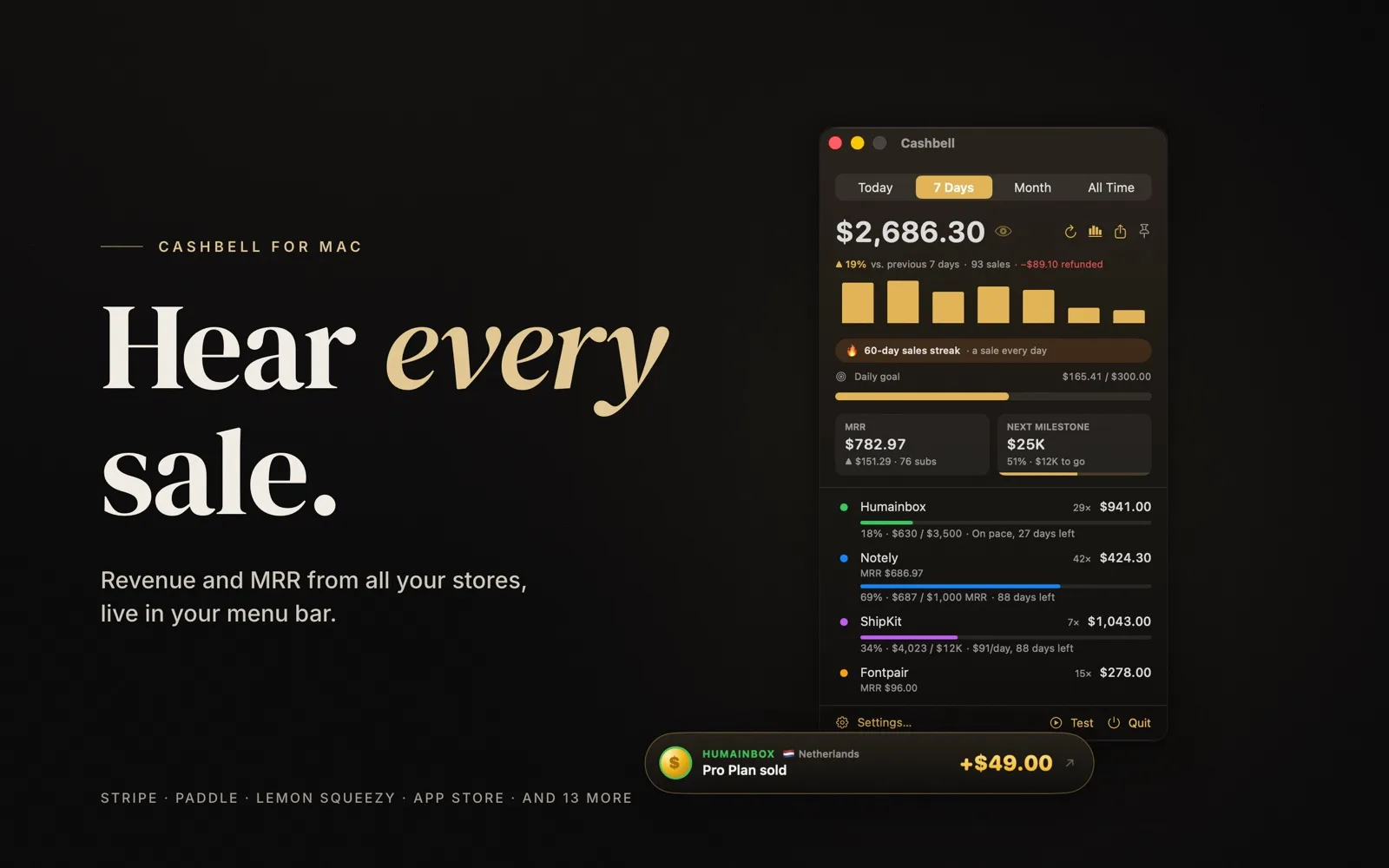
Cashbell: a Mac menu bar app that rings on every sale
Cashbell is our own Mac app. It lives in the menu bar, watches the stores you sell on and rings a bell when a sale comes in. It shows revenue and MRR (monthly recurring revenue) across 17 platforms, and it runs with no server and no account.
- Project
- macOS app
- Our role
- Own product, end-to-end
- Platform
- macOS
- Country
- Global
- Year
- 2026
The challenge
Sales are spread across many dashboards
Indie makers and small software teams often sell through several platforms at once: Stripe for one product, Paddle or Lemon Squeezy for another, the App Store for a mobile app. Seeing today's total means opening a tab for each one.
Small wins go unnoticed
When sales arrive in an inbox among other email, a first sale or a record day passes without anyone noticing. We wanted a small, visible signal for each sale, and a quick way to see whether a goal is on pace.
Revenue data is sensitive
Sales figures and API keys are not something people want to hand to another web service. The tool had to work without its own server and without an account.
Our approach
A menu bar app, not another dashboard
Cashbell sits in the macOS menu bar and shows today, 7 days, this month or all time, after refunds and in one currency. It can show MRR, ARR (yearly recurring revenue) or active subscriptions instead. Clicking a project filters everything to that project.
Connectors for 17 platforms
The app connects to Stripe, Paddle, Lemon Squeezy, Creem, Polar, Dodo Payments, PayPal, Shopify, WooCommerce, Gumroad, Whop, Mollie, Square, Razorpay, Chargebee, RevenueCat and the App Store. With an App Store Connect Sales key, each app shows up as its own project, with sales and first-time downloads from Apple's daily reports.
Private by design
There is no server, no account and no analytics. Cashbell talks to each payment platform directly from the Mac. Read-only keys are enough, and they are stored in the Keychain, the Mac's built-in password store. Privacy Mode hides amounts and pauses celebrations, and it can switch on by itself during calls and screen sharing.
Screens
Inside Cashbell
How we delivered
From first brief to running in production
-
01
DesignMenu bar product
Designed a compact menu bar view for revenue and MRR, with coin rain, a sale pop-up and a bell for each sale.
Menu barSale celebrations -
02
Platform connectors
DevelopmentConnected 17 payment platforms and App Store Connect sales reports, with refunds and currency conversion.
StripePaddleApp Store Connect -
03
Local-only data
SecurityKept all data on the Mac: read-only API keys in the Keychain, no account and no analytics.
KeychainPrivacy ModeNo server -
04
Mac App Store
ReleaseShipped on the Mac App Store with a free tier, a one-time Pro upgrade and a sample-data mode for trying it first.
Free + ProSample data
Results
What is running today
Live on the Mac App Store
Cashbell is published on the Mac App Store in the Finance category and runs on macOS 14 or later. It is free for one project with every feature, and Pro, a one-time in-app purchase, removes the project limit.
Celebrations and goals
Each sale triggers coin rain, a sale pop-up and a bell, with a style per project. Milestones, first sales, record days and daily goals get a bigger celebration, and refunds, chargebacks and cancelled subscriptions are shown too. Projects can have revenue or MRR goals with pace tracking.
Insights without a spreadsheet
A searchable sales list exports to CSV. Insights cover daily MRR history, average order, refund rate, top products and countries, the hours people buy, a 3D customer map and a Wall of Wins with share cards for building in public.
More work
Other things we built and run

Framezone
Framezone is our own product: one private dashboard for tasks, habits, goals, money, fitness, reading and a journal. It also has an MCP server with 62 tools. MCP is a standard way for AI assistants to connect to apps. So Claude, ChatGPT, Cursor and other MCP clients can read and update the account when the user asks.
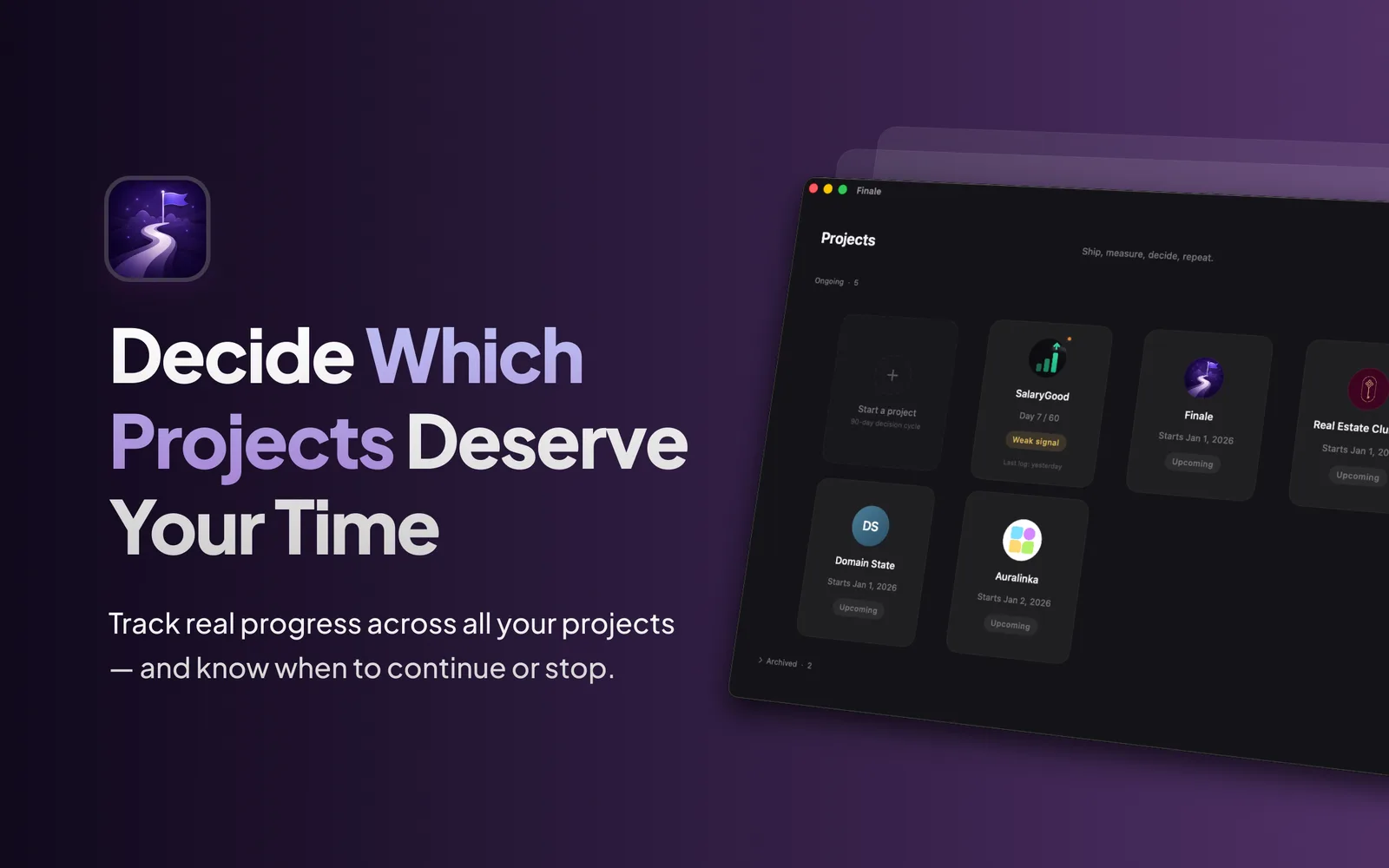
Finale
Finale is our own Mac app for people running side projects, startups and experiments. You set a 30, 60 or 90-day decision window, log daily signals and get a clear prompt to commit, pivot or stop.

Eriklabs
WordPress site for Eriklabs, an Istanbul software testing and quality assurance (QA) company based at the Yıldız Technical University Technopark. The site presents four own testing products, thirteen testing and consulting services and a resources section, in English and Turkish.