Kabin: An AI Styling App, From Brand to Screens
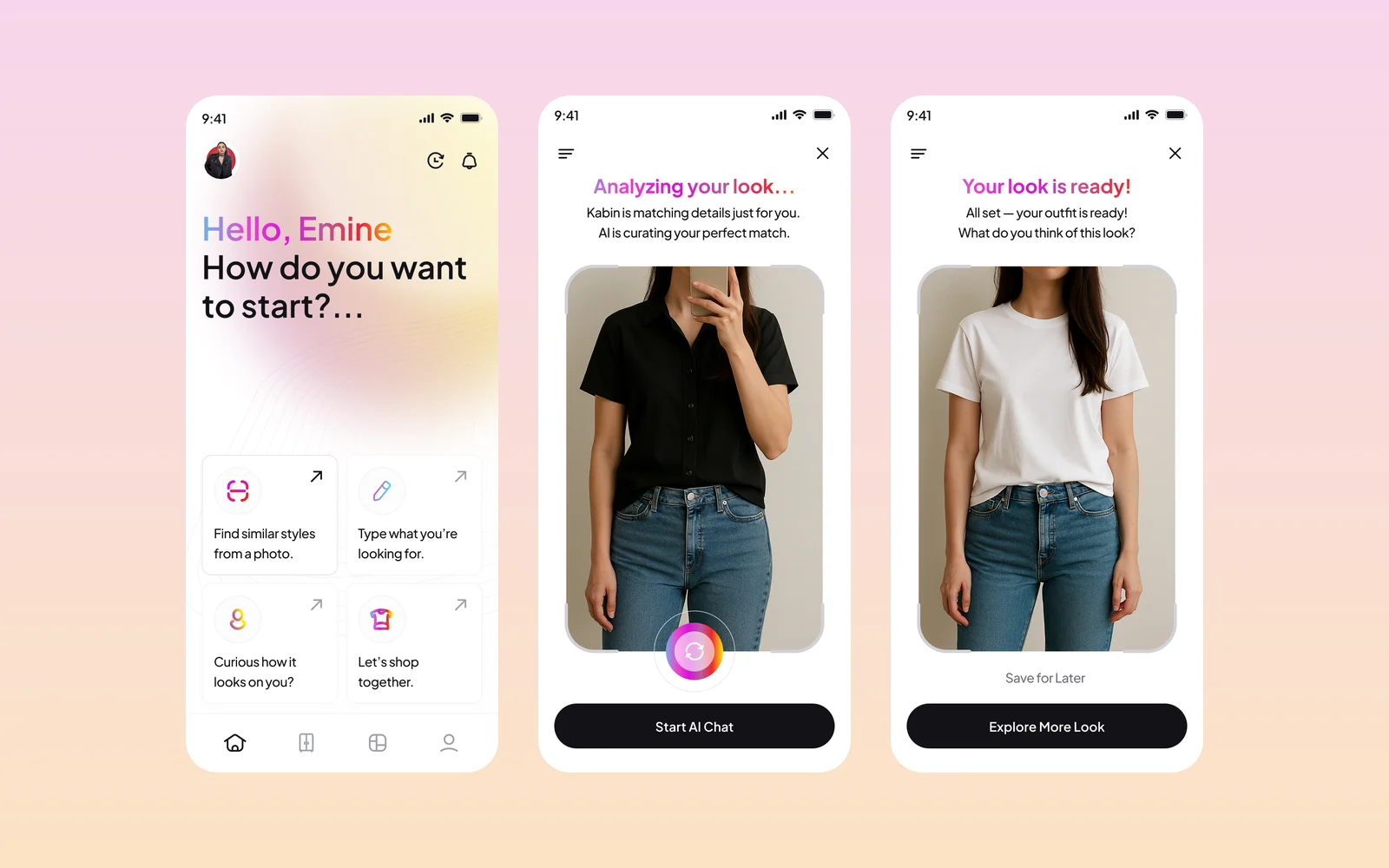
Kabin is an AI fashion app: upload or take a photo, and it finds matching outfits and similar pieces from brands, then shows how a new piece looks on you. We designed the app screens and created its brand identity and style guide.
- Project
- Mobile app design & brand identity
- Our role
- Mobile app UI/UX design
- Platform
- Mobile app
- Country
- Turkey
- Year
- 2025
The challenge
A new brand at the meeting point of fashion and tech
Kabin needed an identity that felt like fashion but read as a dependable technology product, and that stayed friendly and approachable. It also needed a system the app and its emails could share.
Our approach
From logo studies to a final mark
We explored several logo directions before settling on a K mark built from three colours: magenta for fashion, blue for technology and yellow for accessibility. The final logo comes in colourful, dark and light versions, with matching favicons.
A style guide for the product
The style guide sets the logos, a primary palette with gradients, label and system colours, a Manrope type scale (the set of text sizes), native components (the phone's standard building blocks), shadows and an outline icon set.
Brand materials and emails
We applied the identity to letterhead, business cards, email signatures, LinkedIn and YouTube banners and wallpapers. We also designed the emails the app sends automatically, for email confirmation, verification codes, PIN changes and announcements.
Screens
Inside Kabin
How we delivered
From brief to design handover
-
01
DiscoveryBrief and brand
We started from the client's brief and corporate identity: who the app is for, what it has to do, and how the brand looks and speaks. We set colours, fonts and tone of voice from the identity before we drew the first screen.
Client briefCorporate identityUsers & goals -
02
Wireframes
WireframesSimple screen sketches (wireframes) mapped every step of every flow. This way we agreed on structure and priorities before any visual design.
User flowsLow-fidelity screens -
03
App structure
ArchitectureWe planned how the app is organised: the menus, the full map of screens and every state a screen can be in, from empty and loading to error and success.
NavigationScreen mapStates -
04
Components
Design systemWe designed every component (the building blocks of a screen) in Figma, with all its versions. They use the brand's colours and fonts, so every screen is built from one shared library.
ComponentsVariantsFigma -
05
Screens and app text
UI designWe designed the content screens and page layouts and wrote the text on them: labels, buttons, empty screens, errors and confirmations. The words fit the brand's voice.
Content screensLayoutsUX copy -
06
Prototyping
PrototypeWe linked the finished screens into a clickable prototype (a test version you can tap through). We walked through it with the client and improved the flows before handover.
Clickable prototypeReview rounds -
07
UI/UX file handover
HandoverWe delivered the complete Figma file: the component library, all screens, the prototype and the assets ready to export. The development team can build from it.
Figma fileComponent libraryAssets
Results
What we delivered
The app flow, screen by screen
The app opens on four ways to start: find similar styles from a photo, describe what you want, see how a piece looks on you, or shop together. After a photo is analysed, an AI chat suggests pieces from brands. A virtual try-on shows the new look. An explore view lists more options with prices and ratings before the shopper visits the brand's site.
One identity across app, email and print
Kabin received the app design, a complete brand kit and a UI style guide, so the app, its emails and its social channels share one look.
More work
More design work
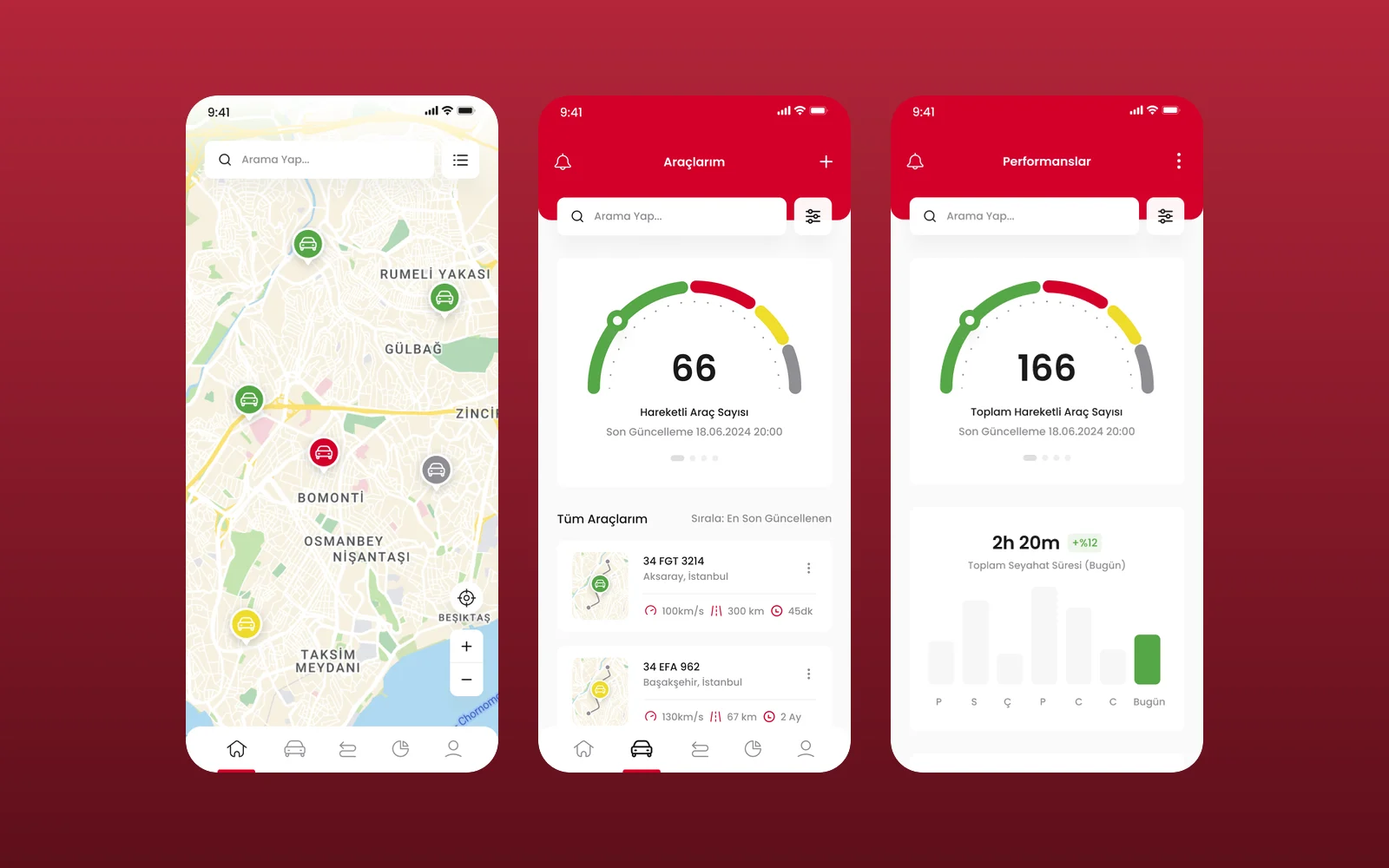
BM Mobil
We designed the UI and UX of BM Mobil's vehicle tracking app in Figma: a live fleet map, a vehicle list, vehicle pages with live camera monitoring and a performance view. This was a design engagement, delivered as Figma screens.
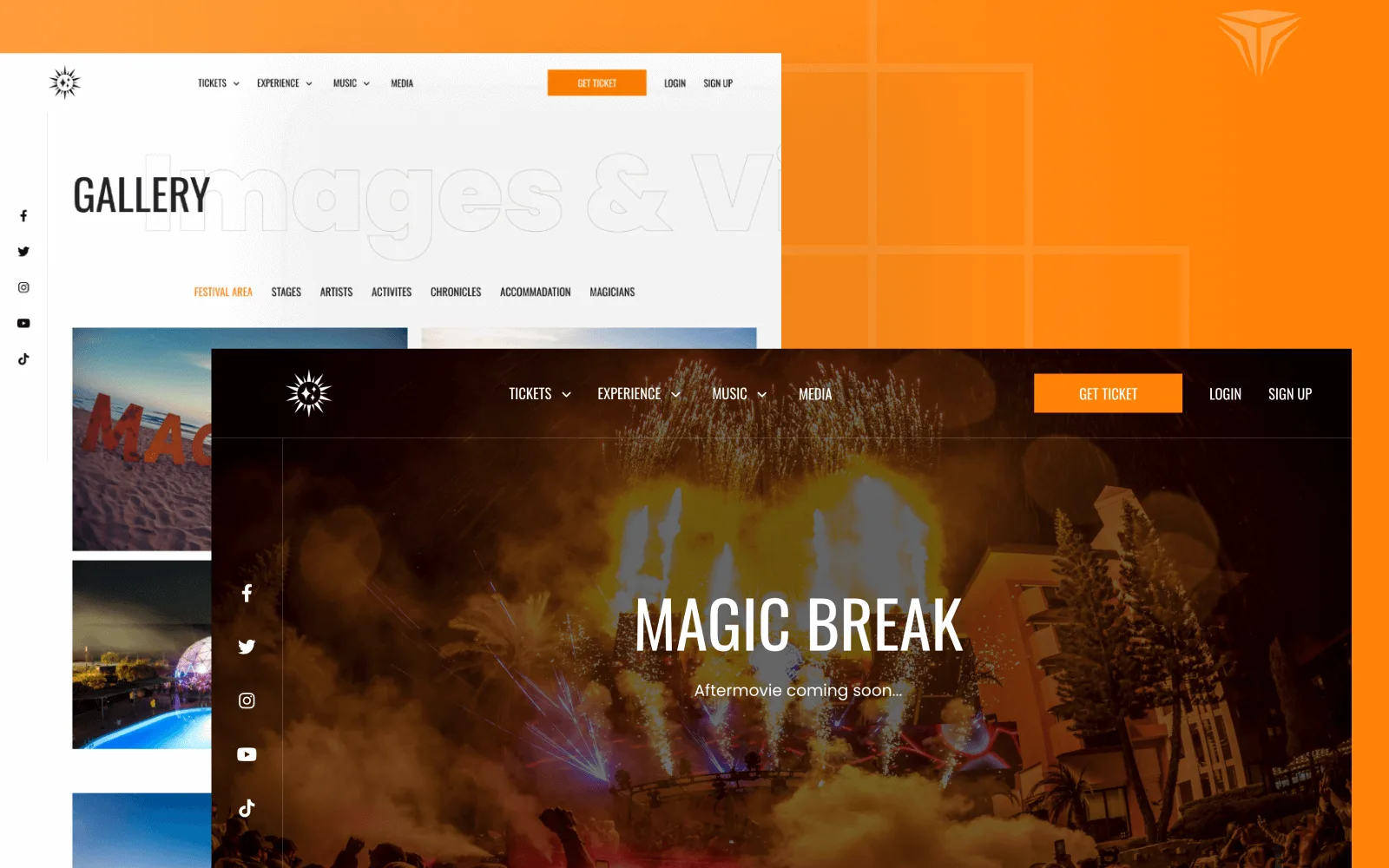
Magic Break
Magic Break is an electronic music festival held at the Pegasos hotels in Incekum, Antalya. We designed the interface and built a bilingual Laravel website where visitors pick a ticket type and hotel room, pay, and manage their reservations in their own account.
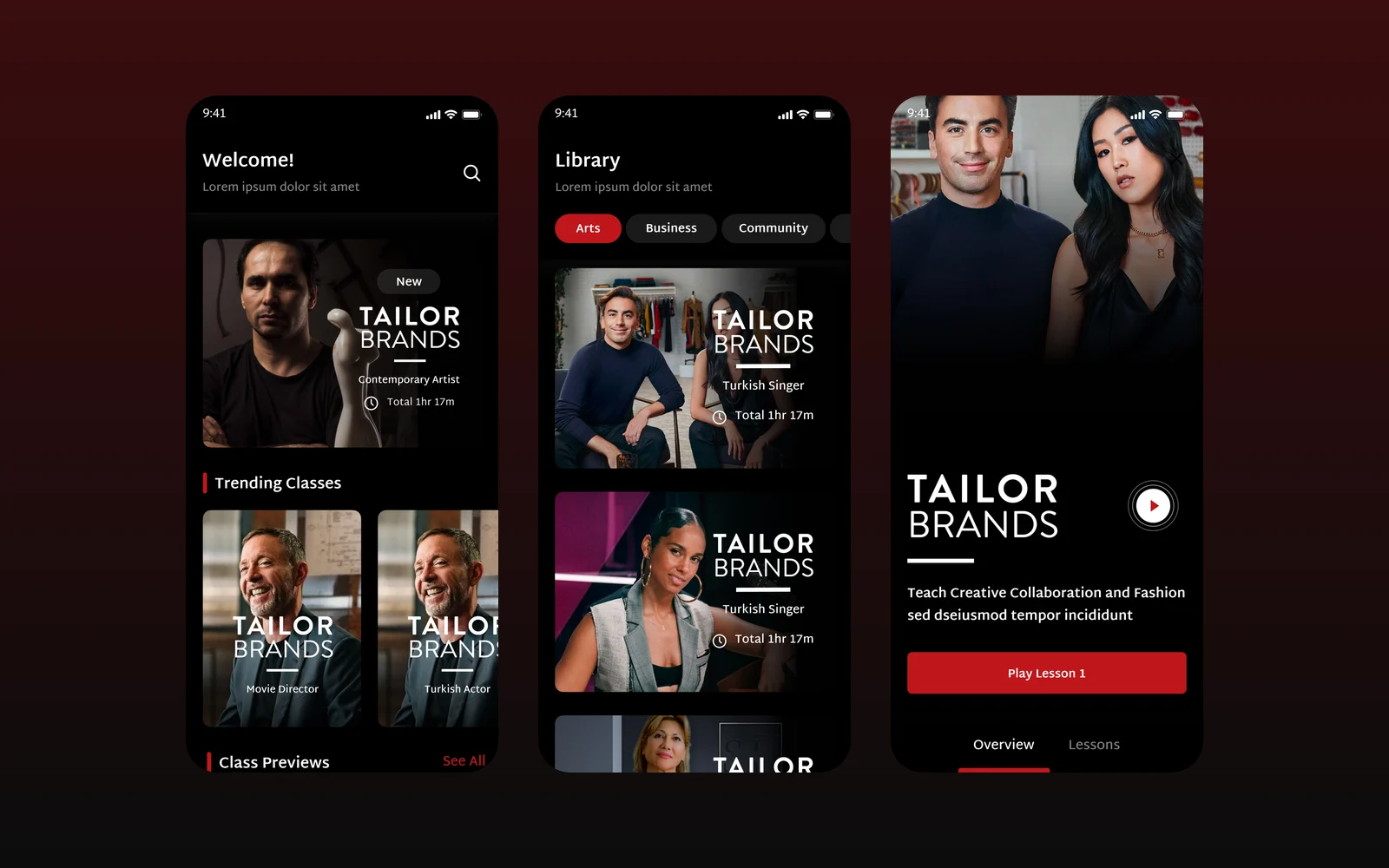
Wise & Rise
We designed the mobile app for Wise & Rise, an online video class service, for our client through an agency partner: a class library, featured teachers, class pages and a video player with notes and progress.