In short
A PDF menu is built for paper. Here is what it costs you on phones, in search, with allergens and on Google, and how to move to a real menu without a rebuild.
Plenty of restaurant websites still hand guests a PDF when they tap "Menu". It feels like the safe choice: the designer already made the printed card, so upload it and move on. The trouble is that a PDF is built for paper. On the web it works against the guest standing in the street with a phone, against the staff who have to keep it right, and against search engines trying to understand what you serve.
This guide goes through what a PDF menu costs you, one problem at a time, and then how to move to a real menu without rebuilding your whole site.
What "a real menu" means
A real menu is the menu written as text on a web page: sections, dish names, descriptions, prices and dietary marks, laid out with the same code as the rest of the site. It can still look like your printed card. The difference is that a phone, a screen reader and a search engine can all read it, and your staff can change it the way they change any other page.
Problem 1: it is hard to read on a phone
A menu designed for an A4 or A3 card shrinks to an unreadable size on a phone screen. The guest has to download the file, open it in another app, then pinch and scroll sideways across columns. A large file with photos takes a while to load on a weak connection. Many guests give up and either call or pick the restaurant next door whose menu just appeared.
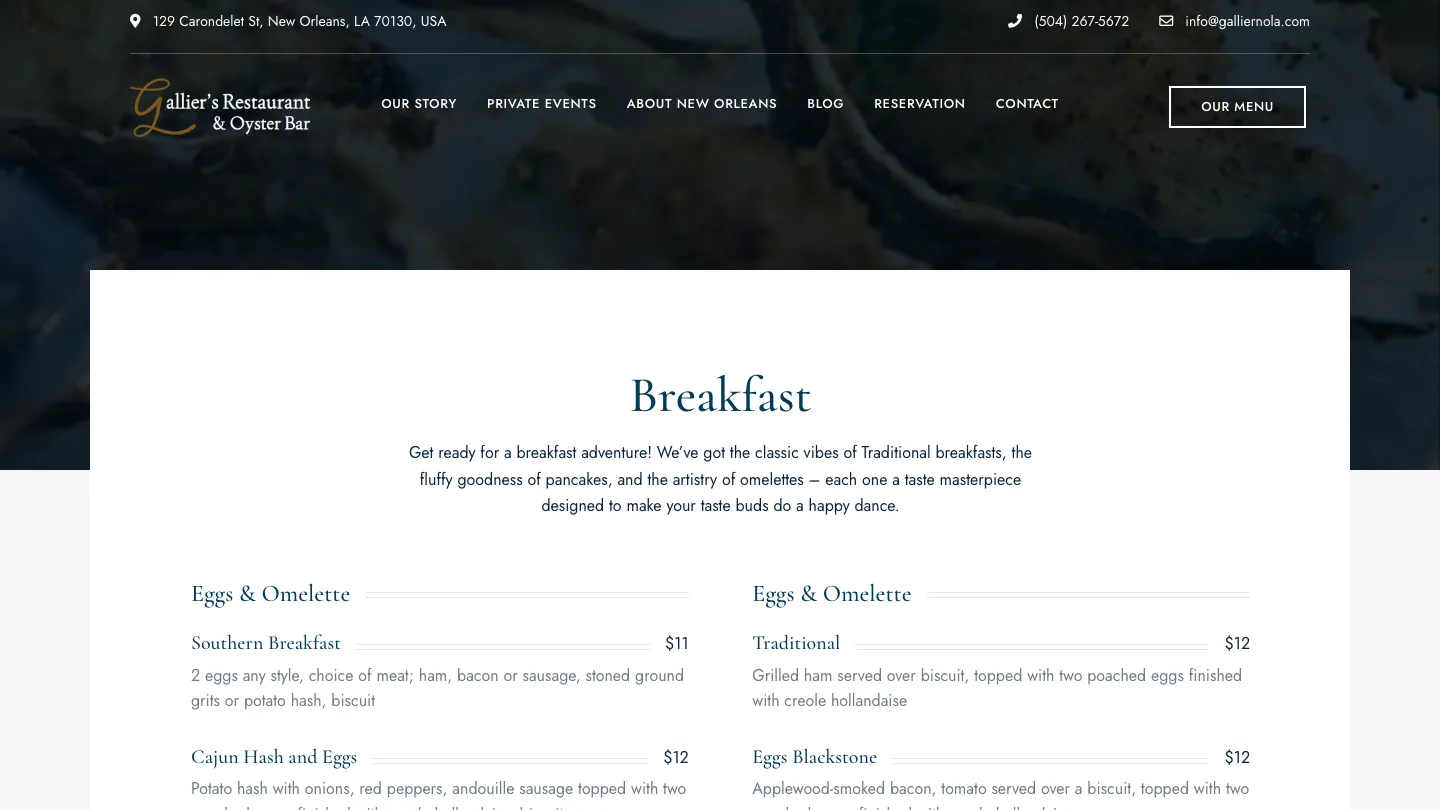
A text menu reflows to the width of the screen. Sections can be tabs or headings the guest jumps between. For Gallier's, a seafood and oyster bar in downtown New Orleans, many guests are visitors deciding where to eat as they walk the French Quarter, so the site is the menu, the address and the phone number, checked in a few seconds on a phone. Its menu is real HTML in nine sections, from Breakfast and Oysters to Wines & Cocktails.
Problem 2: the prices online are not the prices on the table
With a PDF, changing one price means opening the design file, exporting again, uploading again and hoping the old file is not still cached or linked somewhere. In practice it waits until someone has time, so the website shows last season's prices and dishes that are no longer served. Guests notice, and some will hold you to the price they saw.
With a real menu, a manager edits a dish or a price in the site's admin, on a laptop or a phone, and saves. Snapper's Seafood on Canal Street has an 11-section menu where each dish is a block with a name, description and price. The menu page has been updated since launch without a rebuild.
- Test it: ask the person who would change a price to do it now, on your current site, and time it. If the answer involves emailing someone, that is your answer.
Problem 3: allergens
In the EU, Regulation (EU) No 1169/2011 on food information to consumers requires allergen information to be available for food sold non-prepacked, which covers dishes served in a restaurant. It applies to the 14 substances listed in Annex II of the Regulation: cereals containing gluten, crustaceans, eggs, fish, peanuts, soybeans, milk, nuts, celery, mustard, sesame, sulphur dioxide and sulphites, lupin, and molluscs. Each member state can set its own rules on how the information is given (on the menu, on a sign, or on request from staff, for example), so check your national rules. The European Commission's page on mandatory food information is a good starting point. Outside the EU, the rules differ by country.
The law does not require the information to be on your website. But a guest with an allergy will look there first, and the website is where it is easiest to get wrong. A PDF printed in spring does not know the kitchen changed the dressing in autumn.
- Store allergens with each dish, as fields, not as a footnote in a separate file. When the dish changes, the person editing it sees the allergens right there.
- Show dietary marks (vegetarian, gluten-free) next to the dish, in text a screen reader can read, not only as small icons.
- Say clearly that guests should tell staff about allergies, and keep the website in step with what staff are told in the kitchen.
Problem 4: search engines cannot read it well
Search engines can open many PDFs, but a menu PDF is often a flattened image of a design, with no real text inside. Even when the text is there, it sits in a separate file, not on the page that describes your restaurant. A guest searching for oysters or gumbo near where they are standing is more likely to find a restaurant whose menu page says those words, as text, than one whose dishes sit inside a picture.
A real menu page can also carry structured data: labels in the page code that tell search engines the restaurant's address, opening hours and where the menu is. Gallier's pages carry Restaurant schema with the address, map coordinates, opening hours, menu and how to book. That does not guarantee any position in search results. It does mean search engines get the facts directly, instead of guessing.
Problem 5: Google shows a different menu and different hours
Many guests never reach your website. They see your Google Business Profile in Maps or Search, with its hours and a menu link. Google lets you build a menu in the profile itself, upload menu photos, or add a menu link that points to your own page. Google's help page on menus lists the steps, and notes that menu changes can take 24 to 48 hours to show.
The common mess is three versions of the truth: a PDF on the site, an old photo on Google, and the real card on the table. The same goes for hours, especially holiday hours.
- Point the profile's menu link to your real menu page, so there is one menu to keep current.
- Keep opening and holiday hours in one place on your site, and change the Google profile on the same day you change the site.
- Check the profile from a phone that is not logged in to your account, to see what guests see.
Problem 6: not everyone can read a PDF
Guests who use screen readers, or who enlarge text, or who switch on high contrast, often cannot use a menu PDF at all, especially one that is a single image. A text menu with proper headings is read aloud in order, grows with the browser's text size and follows the phone's settings. The same structure helps translation too: Ofis 57, a hospitality group in Ankara, runs its group and venue pages in Turkish and English with a language switch on every page, and text is what makes that possible.
How to move from a PDF without a rebuild
You rarely need a new website for this. The menu is one page, and the work is mostly about content.
- Collect every menu. Lunch, dinner, drinks, desserts, set menus, kids menu, plus your current allergen notes and opening hours. Decide which one is the source of truth when they disagree.
- Agree the structure. Sections, and for each dish: name, short description, price, allergens and dietary marks. Snapper's uses the same block for every dish; that sameness is what makes it easy to edit.
- Build the menu page on your current site. Most site builders and WordPress themes have food menu blocks. Both Snapper's and Gallier's run on WordPress with a restaurant theme, and staff edit in the visual editor. Keep the design of your printed card if you like it.
- Enter the dishes once, carefully. Have someone from the kitchen check allergens line by line before it goes live.
- Keep the PDF only as a download, if at all. Some guests like to print. Make it a secondary link, and remember it now has to be kept in step too.
- Fix the links. Point the Google Business Profile menu link, your social profiles and any QR codes on the tables to the new page. Redirect the old PDF address to the new page, so old links do not break.
- Hand it over. Show the person who changes prices how to do it, and have them do it once while you watch.
Then put a reminder in the calendar: each time the menu changes, check the website, the Google profile and the allergen fields on the same day.
Where we come in
If you want this done for you, our menus and table requests work covers it: a real menu your staff change in a minute, allergens next to each dish, hours set in one place and given to Google in the format it reads, and table request forms that ask for date, time and party size. It is often added to the site you already have, at a fixed price agreed before any work, and we keep it running every month afterwards.
FAQ
Frequently asked questions
Tagged